Introducing Fortuna - A web application I designed and developed to automate online uploads for music producers so that they could spend less time doing admin work and more time actually creating music. Fortuna streamlines this workflow through scheduling, local storage, and metadata templating, tailored specifically for producers.
Music
UX Case Study
SaaS Product
Artificial Intelligence
Product Overview
Fortuna is a multi-platform publishing tool designed to help music producers easily upload, schedule, and manage their beats across platforms like YouTube and Instagram. The goal is to streamline the fragmented, repetitive workflow that creators face when publishing music online — giving them one place to handle uploads, scheduling, metadata, and audience engagement.
Result
75%
Pre-signup testers found the solution improved upon existing staple tools in their workflows.
50+
User signups within a month of launching the MVP.
The Problem - Uploading Beats is Tedious
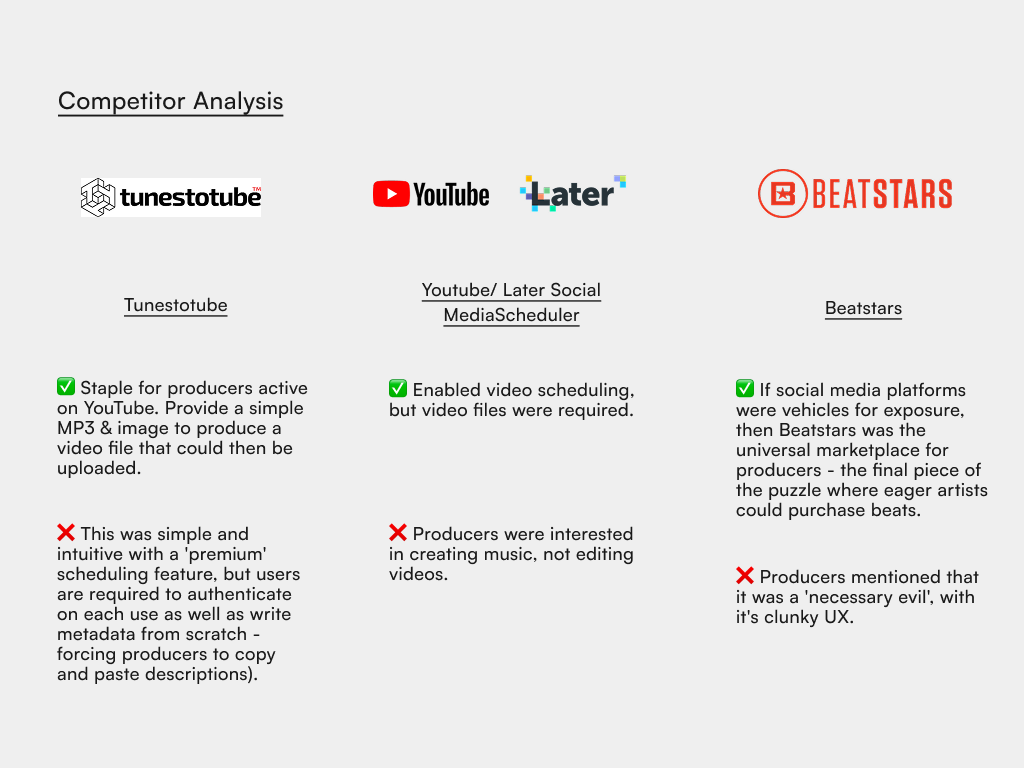
For most music producers, publishing beats online isn’t a one-click process — most producers had hundreds of beats to release, and each upload meant re-entering metadata, rewriting descriptions, and formatting hashtags for each social media platform (primarily Youtube and Instagram).
While tools like Tunestotube and Youtube exist and individually help distribute content, they don’t solve the real problem: the repetition that slows producers down and disrupts their creative flow.
As a result, producers who want to stay consistent online often struggle to maintain their output. The problem wasn't publishing music, it was the energy drain of doing it everywhere, over and over again.
User Research - Conversations with Music Producers
1 Survey
A single Survey with a sample of 10 music producers varying in experience level, genre and overall motivations for online uploads.
8 Interviews
Eight 45-minute interviews with music producers, discussing their general workflows, motivations and paint points.
V1 Usability testing insights - What worked well...

Onboarding was simple
Producers had reported in interviews that they hated competitors' bloated UI, so I designed to reduce friction in onboarding - including important touch points where users needed to authourize connections to other platforms.
Templates saved time
The intent behind 'templating as much as I could' resonated with testers, as they were already copying and pasting descriptions manually.
...and what didn't.

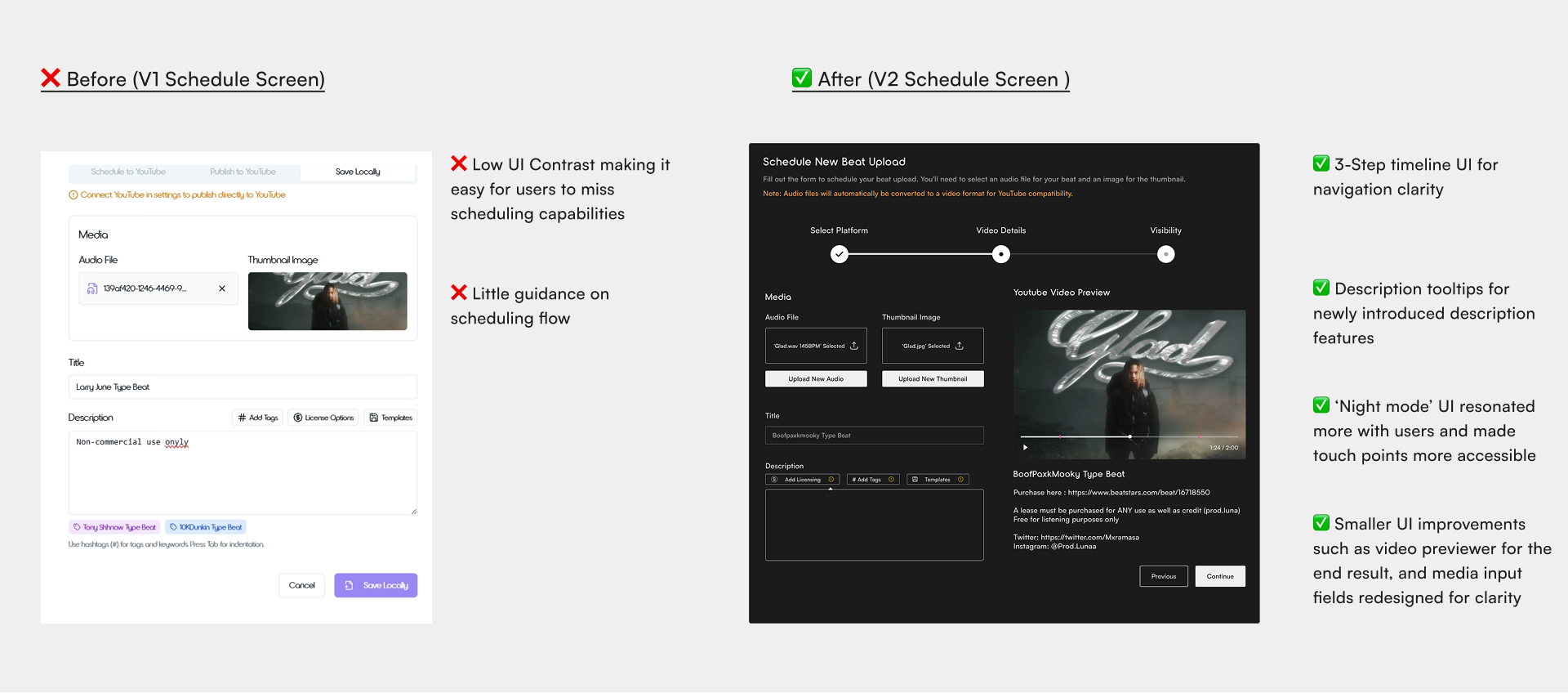
Poor UI contrast confused users
For many, buttons like the description templates schedule/publish toggle did not stand out enough.
Absence of success screens and clear navigation
Success screens and navigation were missing which failed to communicate with testers what was happening after a successful upload.
Transition to solution -Scheduling as a core feature
From interviews and surveys, one need stood out: producers wanted a way to “set and forget” their uploads.
I made scheduling the foundation of Fortuna - allowing producers to plan releases, automate uploads, and stay active online without constant manual work. Paired with metadata templates, the feature reduces repetitive tasks and helps creators focus on what matters most: making music.
Rapid Prototyping -Building V1 features with Lovable AI

Schedule Uploads
For many, low visibility and time consumption led to a low motivation to stay consistent with uploading. As a solution, I designed a scheduling upload feature that enabled producers to stay on track.

Metadata Templates
Producers reported to keep entering the same metadata manually for each upload, so I enabled one-click template for descriptions, relevant hashtags and license disclaimers for potential customers.
Adapting to project scope constraints - Multi-platform
Fake Door Test

Multiple Platforms
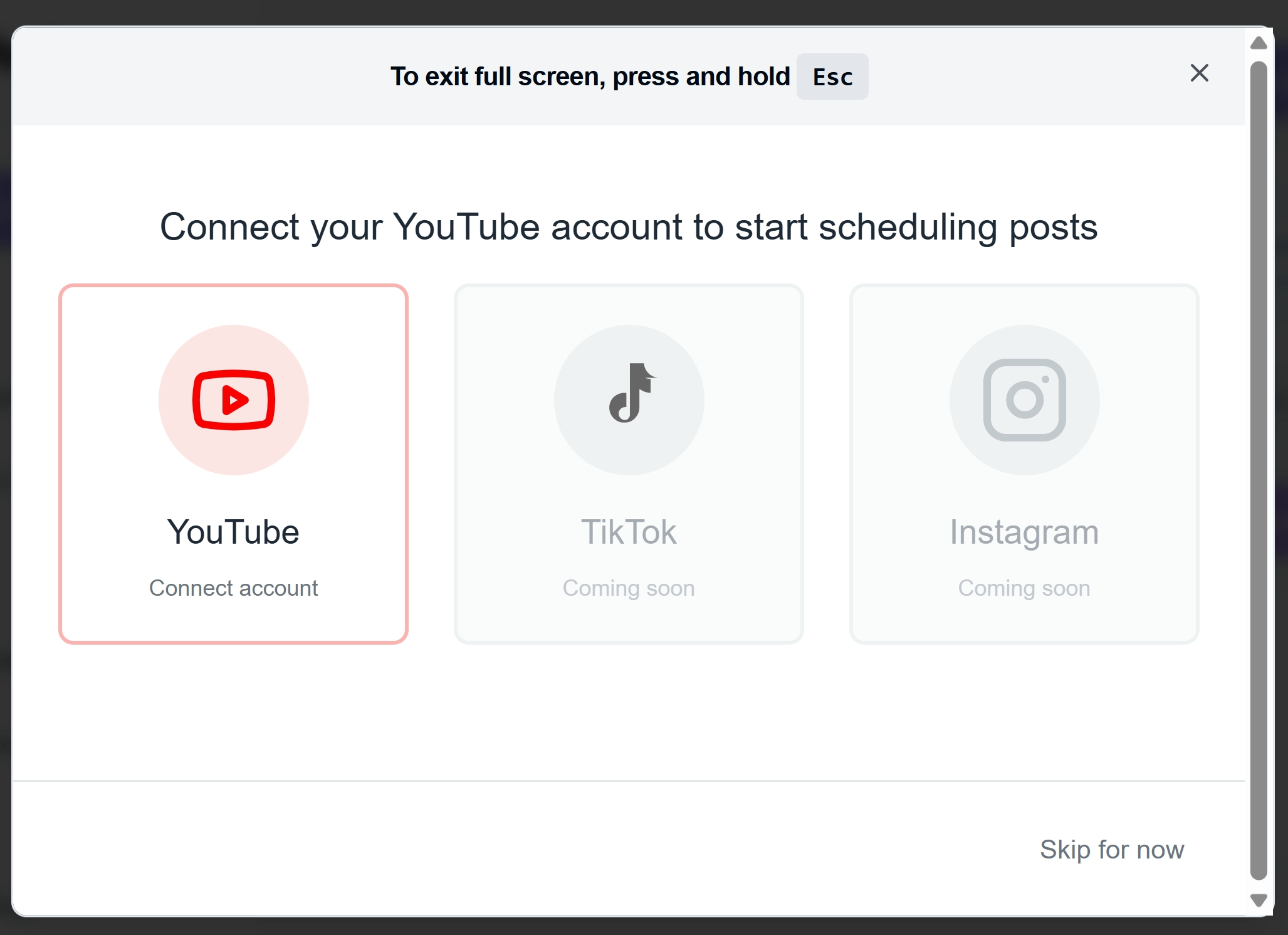
Because technical and time constraints became an obstacle, I adapted by create a 'fake door' test in the usability tests. I used this UI layout to hint at possible other platforms for Fortuna. If they did not notice/address it at first, I asked what users thought of the idea and many producers responded positively.
Iterating with V2 - More Usability Testing
Early usability tests revealed that while producers loved the scheduling and metadata templates, they struggled with navigation and visual clarity. Buttons lacked contrast, and there were no clear success states after uploads.
In response, I simplified the upload flow into a 3-step process inspired by Youtube:
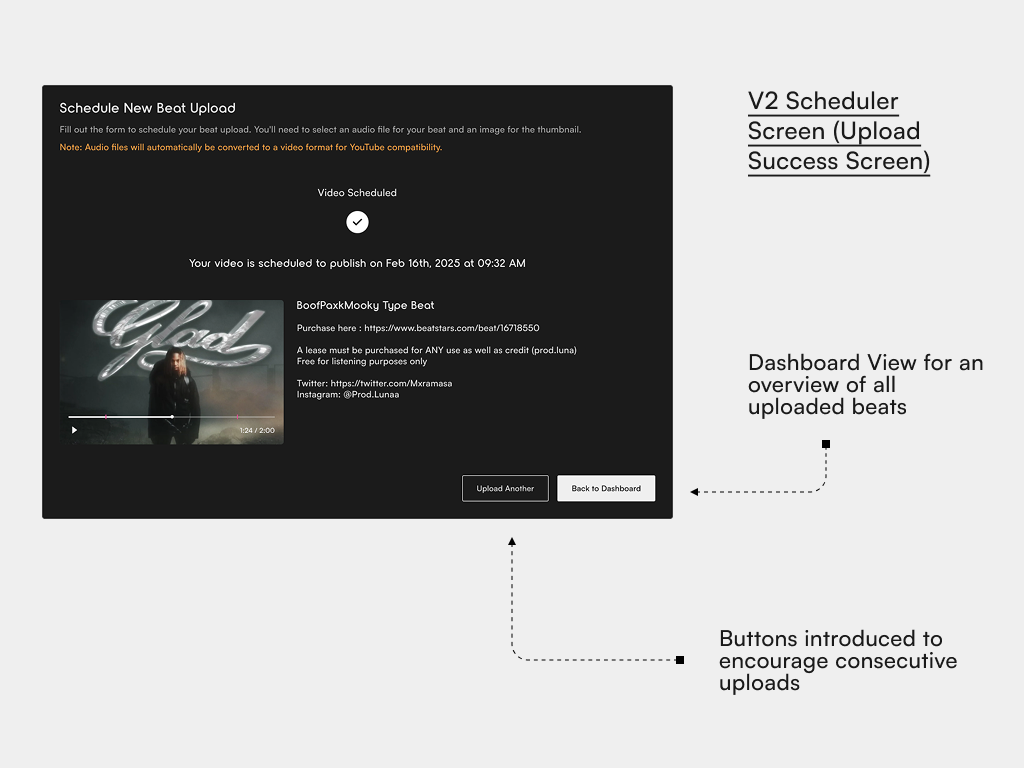
I also improved contrast through a dark-mode UI and added success feedback screens to build user confidence.
Final Results -
V2 Results and Impact
After iterating on the usability issues from V1, I ran a second round of tests with the improved dark-mode UI and simplified three-step upload flow.
- 75% of testers reported that Fortuna felt faster and more intuitive than the tools they currently use.
- Templates and scheduling were consistently rated as the most valuable feat
- Positive feedback led me to develop the MVP into a live product, now used by
Reflection -
What I learned
Time saved isn't always motivation gained.
Once I shipped the MVP, Once I shipped the MVP, I discovered that saving time wasn’t enough. Producers often felt blocked by low visibility — even if they were more consistent, poor reach made them feel unseen.
Broader research samples create better insights.
If I were to start again, I’d include producers across a wider range of experience levels. Beginners, mid-tier creators, and professionals all have different workflows — and understanding those differences would reveal what truly helps scheduling “stick.”